Online order
Customer action
Customer match, send-to-cart flow, discount handling, and receipt linking inside LeoPOS

Let online orders, complaints, loyalty sign-ups, corporate enquiries, and stain assessments stop living as disconnected forms. With LeoBridge, they become one operational inbox flow that your team completes inside LeoPOS.
The request starts on the website or through LeoAI
LeoBridge turns the request into a standardized payload
LeoPOS Inbox gives the team assignment, action controls, and receipt linkage
Ready, picked-up, and note updates flow back to the customer view
The key distinction for prospects is simple: what starts online is actually processed inside the POS screen. Staff tracks it, takes action, links it to receipts, and makes it visible again to the customer.
This page is not about selling another chatbot or a loose form collector. It explains the system that connects web customer activity directly to in-store operations.
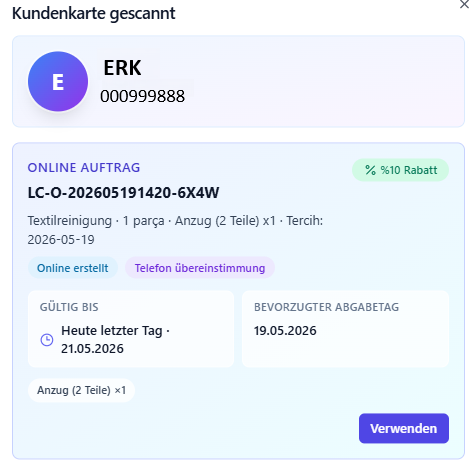
Customer match, send-to-cart flow, discount handling, and receipt linking inside LeoPOS
Ownership, notes, status updates, and a traceable resolution flow
Pre-filled customer creation dialog and loyalty marker inside LeoPOS
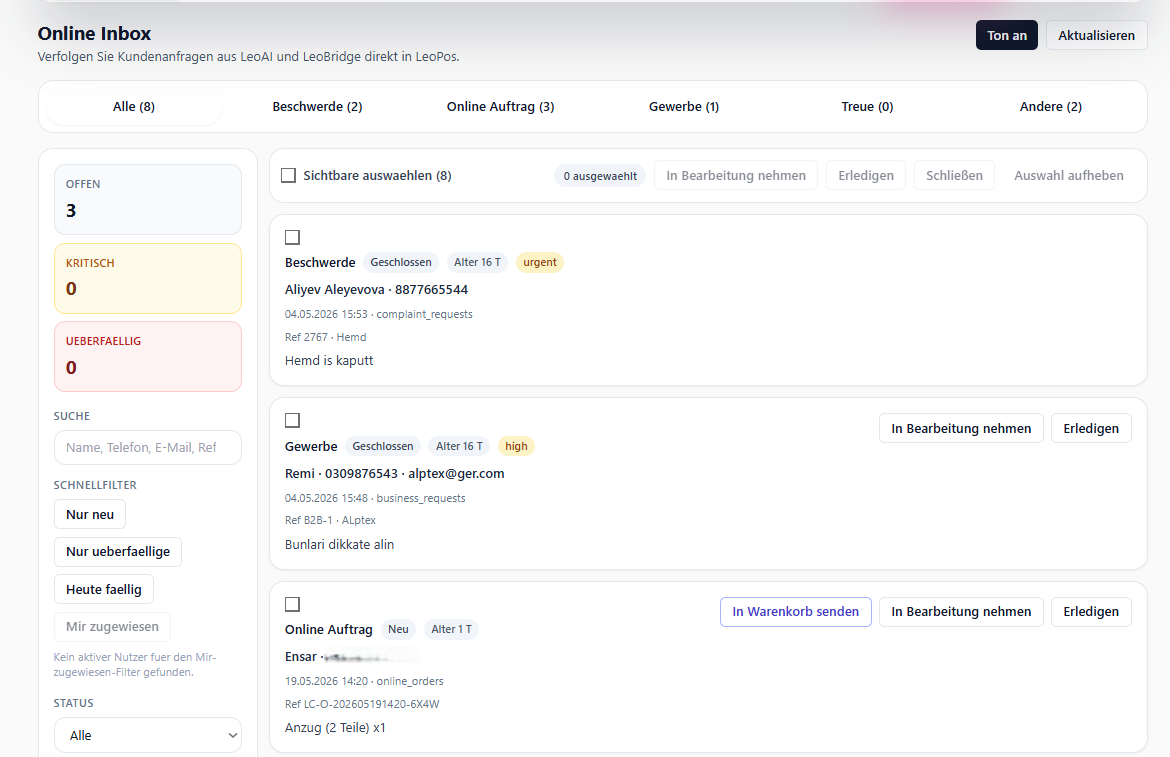
Operational queue for quotation, follow-up, and callback handling
Two-layer module separating pre-assessment from expert review requests
Customers get updates without calling, while staff avoids repetitive phone traffic
The goal inside LeoPOS is not only to display incoming requests; it is to assign them, annotate them, change status, link them to receipts, and send visibility back to the customer when needed.
Complaints, online orders, corporate enquiries, loyalty, and more in one center.
Who picked it up, who closed it, what note was left; work no longer disappears inside the team.
Open age, delay risk, and due-today visibility appear with operational colors.
One-click actions like in progress, ready, customer created, or callback done based on request type.
The key buying question for operators is simple: does customer-side digital activity actually become finished in-store work?
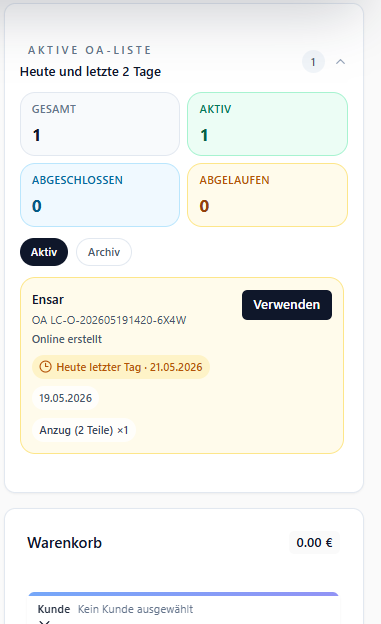
The customer creates an order online, the cashier taps use in LeoPOS, and the request enters the sales flow directly.
Photos, notes, status, and ownership stay inside one record, so staff and management see the same picture.
The registration lands in LeoPOS, the add-customer dialog opens pre-filled, and staff completes the record under control.
The online services experience on LeoClean shows the customer-facing side. This LeoPOS page explains the operational engine behind it. Used together, they create a much clearer sales narrative.
The strongest sales narrative is to show the customer side first and then open the operational counterpart inside LeoPOS. This page is built for that second step.